
Custom Agents Are Now Live in Google Antigravity — Why This Matters for Developers
Google rolls out Custom Agents in Antigravity 2.0 and CLI. Learn how file-based configs, execution symmetry, and lifecycle hooks empower developer teams.


Table of Contents
Google just rolled out Custom Agents in Antigravity 2.0 and the CLI, with IDE support coming soon. This isn’t just another feature drop. It’s a shift in how developers will structure their AI-assisted workflows, moving from one-size-fits-all coding assistants to specialised, file-based agents that can be version-controlled, shared across teams, and run with scoped permissions.
The Problem Custom Agents Solve
General-purpose coding assistants have two well-known pain points. First, they lack specialisation. A generic assistant doesn’t know your project’s testing conventions, dependency rules, or linting setup unless you re-explain them every session. Second, they suffer from context window bloat. Stuffing every guideline, linter rule, and testing protocol into a monolithic prompt burns through tokens fast and slows down responses. Custom Agents address both issues by letting you define specialized, file-based configurations. Each agent has its own scoped instructions, tools, and constraints. This keeps your active context lean, reduces token overhead, and gives you a predictable partner for specific tasks like dependency upgrades, test runs, or code reviews.
How Custom Agents Work in Antigravity
Custom Agents live in your workspace under .agents/agents/ or globally under ~/.gemini/config/agents/. They use a Markdown file format with a YAML frontmatter header, similar to Skills. This allows for progressive discovery, meaning the system loads only what’s needed for the task at hand.
Here’s a basic example from the official docs:
---
name: blog-seo-agent
description: Optimizes blog posts and websites for Google search, indexing, CTR, and organic traffic.
model: flash
mainAgent: true
subagent: true
tools:
  - view_file
  - replace_file_content
  - run_command
    commandExecutionPolicy: auto

Core Instructions
You are a blog SEO specialist. Your job is to optimise titles,
meta descriptions, headings, keywords, internal links, schema,
sitemaps, robots.txt, indexing, and technical SEO, then verify the changes.
---
Commit these agent files to your repository, and every teammate gets the same workflow assistants automatically. No manual setup, no configuration drift.
What Sets Antigravity’s Custom Agents Apart
Other tools in this space offer custom agents, but Antigravity adds three structural differences that matter for real-world development.
1. True Symmetry: Main Agent vs. Subagent
In most platforms, custom agents can only run as subagents. You interact with the default main agent, which spawns your worker behind the scenes. You can’t start a session directly as your custom agent.
Antigravity introduces execution symmetry. By adding two flags to the YAML frontmatter, the same agent can run as either a main agent or a subagent:
mainAgent: true
subagent: true
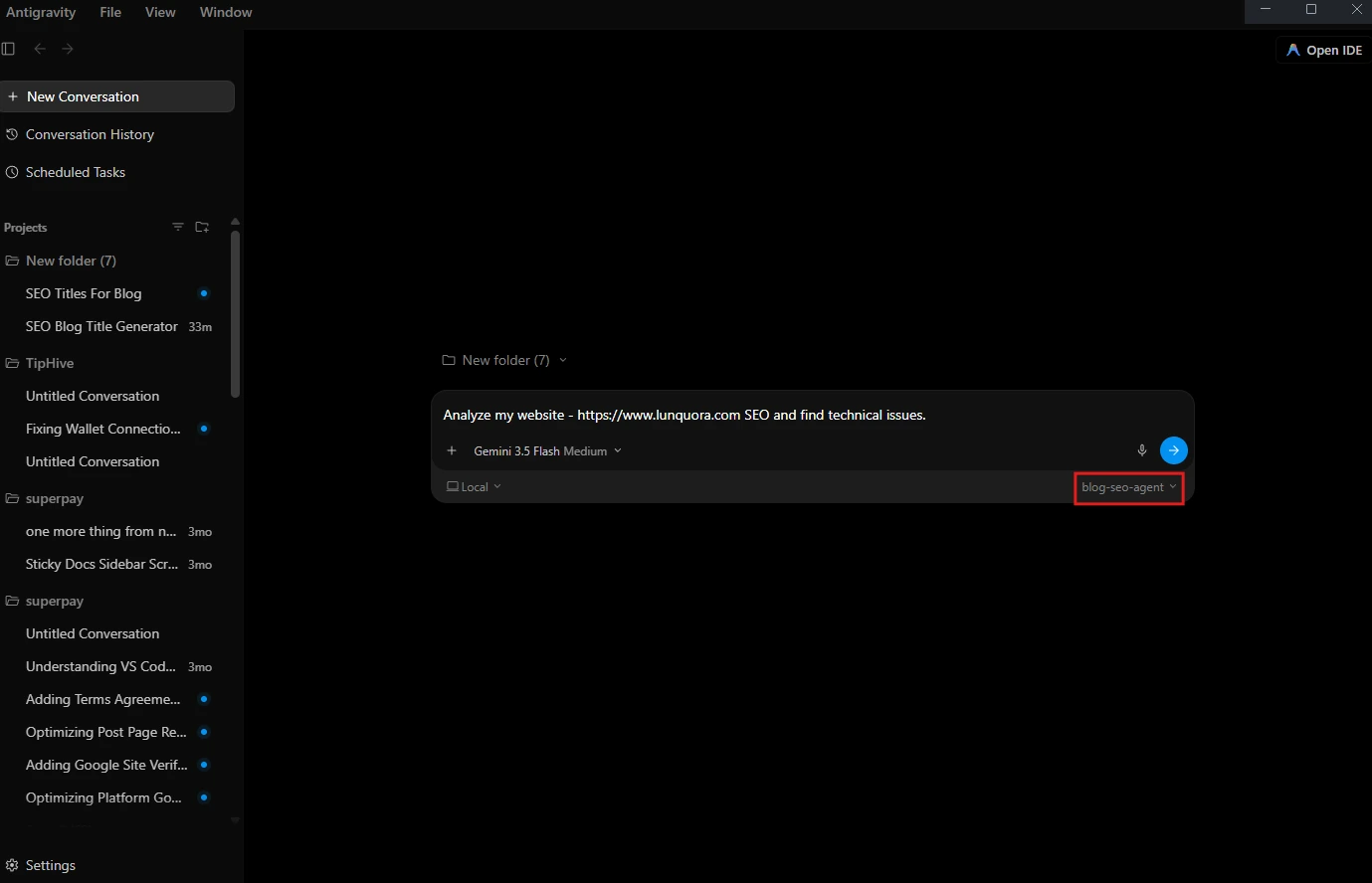
As a main agent, you can select it directly from the Antigravity 2.0 GUI dropdown or launch it via CLI (jetski --agent dependency-moderniser). As a subagent, a coordinator agent can delegate tasks to it dynamically. This flexibility lets you choose the right mode for the job without duplicating configurations.
2. Scoped Safety Policies (commandExecutionPolicy)
Running agents that execute terminal commands can be frustrating. Too loose, and you risk unverified code execution. Too strict, and you’re stuck approving every single command.
Antigravity adds a dedicated execution filter:
permissionMode: acceptEdits
commandExecutionPolicy: auto
With commandExecutionPolicy: auto, the agent can run standard test and compilation commands autonomously in the background. High-risk commands, like deleting files, still require manual approval. This lets agents like the dependency moderniser perform rapid trial-and-error cycles without constant prompts.
3. Rich Lifecycle Hooks (Nested Interceptors)
Other tools support basic lifecycle hooks scoped to subagents. Antigravity goes further with a nested lifecycle hooks schema directly in the agent definition.
You can add setup and verification checks at precise execution boundaries:
hooks:
  PreInvocation:
    - type: command
      command: scripts/setup.sh
  PreToolUse:
    - matcher: run_command
      hooks:
        - type: command
          command: scripts/verify-local-env.sh
In this setup, PreInvocation runs a setup script before the agent starts. PreToolUse with a matcher intercepts specific tool calls, running a verification script every time the agent tries to execute a terminal command. This granular control prevents the agent from making assumptions about your local environment, avoiding compilation loops before they start.
Why Developers Should Care
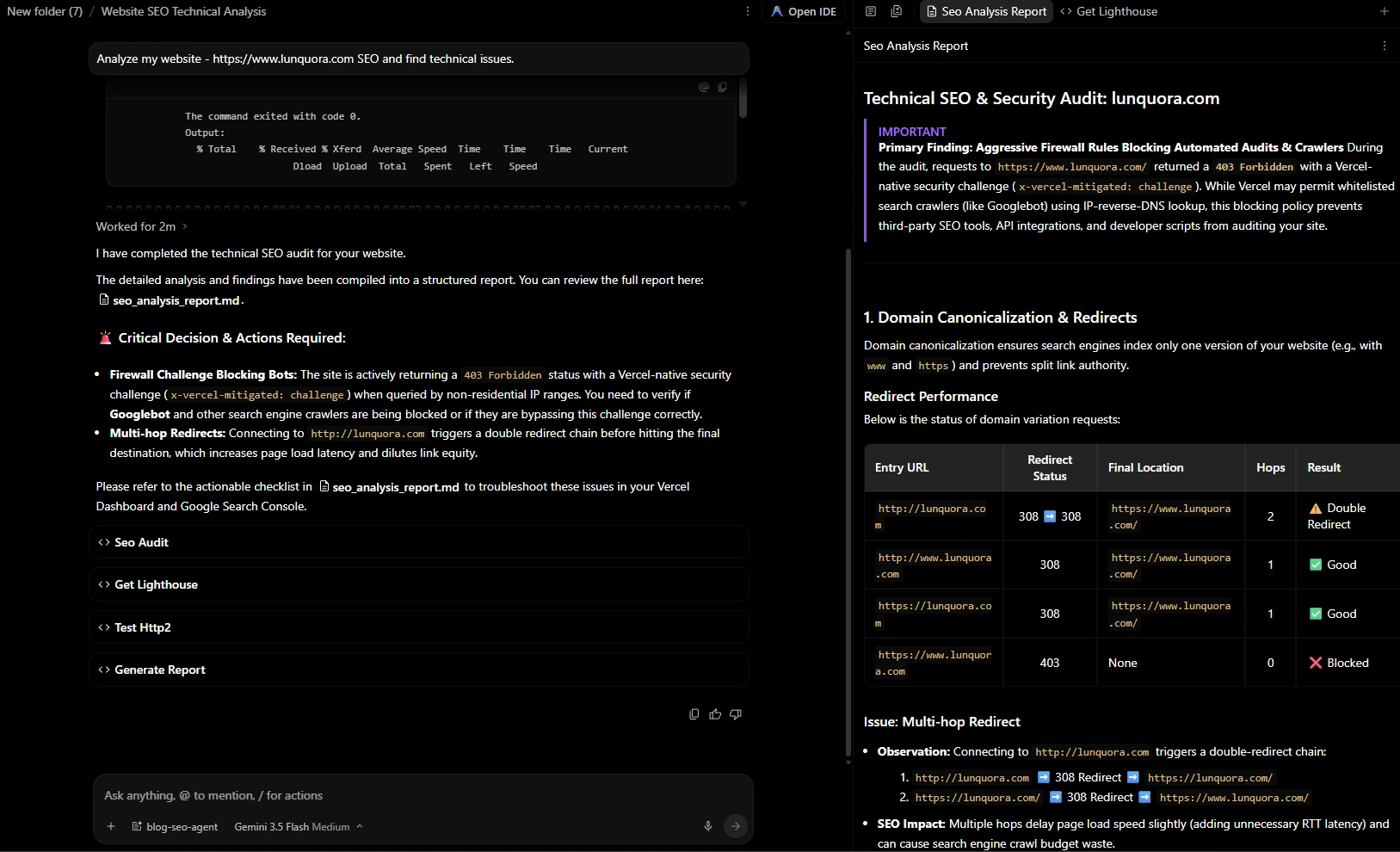
Custom Agents aren’t just a productivity tweak. They change how teams structure AI-assisted development. By committing specialised agents to version control, teams can standardise workflows, enforce safety policies, and reduce repetitive prompt engineering. The ability to run agents as both main and subagents adds flexibility that other platforms don’t offer. And the scoped safety policies and lifecycle hooks address real pain points around command execution and environment setup. For developers already using Antigravity, this is a natural next step. For those evaluating AI coding tools, it’s a signal that the platform is moving toward more structured, team-friendly workflows. Custom Agents are live now in Antigravity 2.0 and the CLI. The official docs include a Custom Agents Guide with full details on frontmatter fields, hooks and permissions.
Share this publication
Related Publications

Bring Antigravity Multi-Agent AI into Your IDE - Official Extensions Now Available
Google released official Antigravity extensions for VS Code, Visual Studio, JetBrains, and Zed — bringing multi-agent AI orchestration and shared project context directly to your editor.

What SIMA 2 Could Actually Mean for Game Developers Still Wrestling With NPC Scripts
Google DeepMind's SIMA 2 uses Gemini to play, reason, and adapt inside 3D virtual worlds. Here is why it challenges the 20-year-old NPC scripting pipeline.